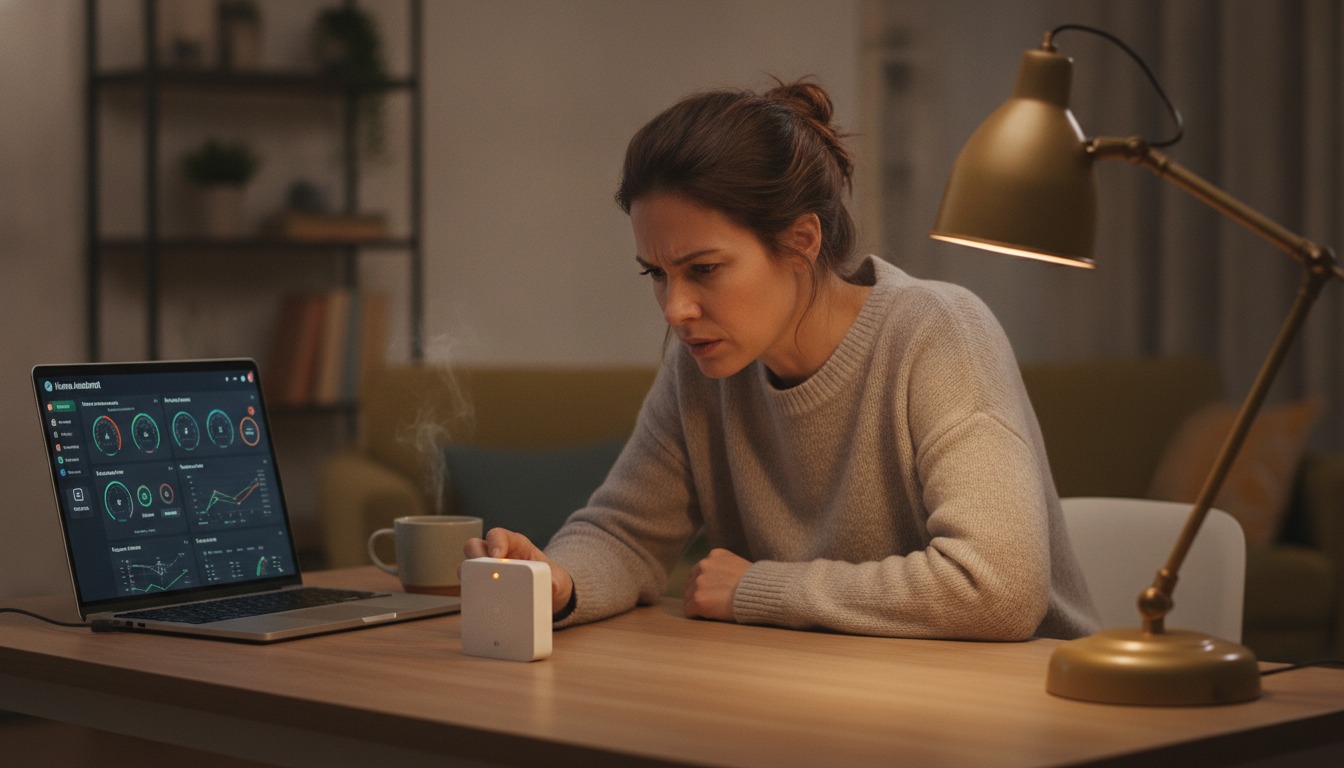
You bought the Aqara door sensor. You bought the Apple TV to run your HomeKit setup. You bought a Google Nest Hub because it was on sale. You scanned the QR code, the app said success, and then nothing happened. The light on the sensor blinks. The Apple Home app shows it as “no response.” The Google Home app does not even see it. You are not bad at this. Matter over Thread in 2026 is genuinely hard, and the people who built it know it.
This is the honest version of what is going on. No “just update your hub.” No “make sure both devices are on the same Wi-Fi.” The reality is that Thread, the low-power mesh networking protocol underneath Matter, has spent the last three years fragmenting across manufacturers, and the fix only started shipping in the last six months. If your setup feels broken, that is because it is, and the fix is on the way but uneven.
I will walk you through what is actually going wrong, what was just fixed, what is still being fixed, and what to try tonight when a device refuses to pair. I will not promise it will all work by the time you finish reading. But you will know which problems are yours to troubleshoot and which ones you have to wait out.
Why Your Matter over Thread Devices Are Not Talking to Each Other
The short version: each Thread border router in your home creates its own private Thread mesh. If you have an Apple TV, a Google Nest Hub, and an Aqara hub, you have three separate Thread networks. A door sensor that joined one of them cannot see the others. Your phone app shows three “Thread networks” you never asked for.
That fragmentation is what smart home journalist Jennifer Pattison Tuohy has called “Matter’s biggest problem right now” in The Verge. Her reporting documents how uneven Thread border router support has been across major platforms — particularly Amazon, which has lagged on Thread adoption — making Thread-powered devices hard to buy, set up, and rely on. This is not a minor inconvenience. It is the central reason your smart home does not feel smart.
The fix lives in a specification called Thread 1.4. Tuohy’s later reporting covered Apple shipping Thread 1.4 in tvOS 26 in fall 2025, with Samsung and SmartThings adopting 1.4 in 2026 and Google and Amazon expected to follow, but not until at least late 2026 or 2027. The Thread Group, the standards body behind Thread, announced that Thread 1.3 border router certification ends December 31, 2025 — meaning as of January 1, 2026, all newly certified border routers must be Thread 1.4. The lag you feel in your home is the gap between that deadline and the actual update reaching devices you already own.
What Thread 1.4 and Matter 1.4 Actually Fix
Two parallel standards updates shipped in late 2024 and early 2025: Matter 1.4 from the Connectivity Standards Alliance and Thread 1.4 from the Thread Group. They are designed to work together and they fix different halves of the same problem.
The Matter 1.4 announcement introduced a new device class called HRAP (Home Routers and Access Points). An HRAP is a Matter-certified device that combines a regular Wi-Fi access point with a Thread border router in one piece of hardware. That sounds like a small thing, but it is the missing piece: a single box that handles both your Wi-Fi network and your Thread mesh, with shared credentials out of the box. Companies like Aqara, Eero, and Linksys are shipping HRAP devices in 2026.
Thread 1.4 adds the underlying protocol changes that let border routers from different brands join the same mesh. The Thread Group’s announcement spells out the changes: Thread Credentials Sharing (so any border router can hand off to any other), Thread-over-Infrastructure (letting border routers use Wi-Fi or Ethernet as backhaul instead of requiring a direct Thread radio link), and standardized network diagnostics so a developer or installer can actually see what is happening on the mesh. If you have ever had a Thread device drop off and not known why, that last one is for you.
Together, these two updates turn the fragmented three-mesh mess into a single unified mesh. In theory. In practice, you need every border router in your home to support 1.4, and that is the part still rolling out.
The Four Failure Points in Commissioning (in Order of How Often They Bite)
Commissioning is the technical term for “the moment a new device joins your smart home.” When it fails, you stare at a blinking light and an unhelpful error message. The ZedIoT engineering blog walked through the failure modes from a Home Assistant developer’s perspective, and after aggregating user reports from Home Assistant Community threads and open GitHub issues, four failure points cover the vast majority of cases. Listed in order of how often they bite.
1. IPv6 routing is broken or disabled. Thread is an IPv6 protocol. If your home network has IPv6 disabled (which is the default on many consumer routers, especially in the US), Thread cannot reach the rest of your network. In Home Assistant specifically, the fix that has worked for multiple users with ZBT-2 + OpenThread Border Router setups is to run ha docker options --enable-ipv6=true and reboot. This sounds like a one-liner, but the diagnosis is the hard part: the error message you see is just “no response” or “device not found,” not “your IPv6 is off.”
2. mDNS is being blocked by your router or access point. Matter devices discover each other using multicast DNS, which many consumer routers and guest networks block by default. If commissioning fails immediately after the QR scan, mDNS is the first thing to check. Look in your router settings for “AP isolation,” “multicast filtering,” or “guest network” and disable any of them on the network your smart home devices are on.
3. Thread credential sharing is not happening between your border routers. This is the one Matter 1.4 + Thread 1.4 actually solves. If you have two Apple TVs, an Apple HomePod, and a Nest Hub, your iCloud account is supposed to push the Thread credentials between them. When that push silently fails (which happens often with Aqara sensors paired to HomeKit), you end up with islands. The fix is to clear Thread credentials from your iCloud Keychain and re-add the preferred hub. On Android, the equivalent is to reset the Google Home Thread network and let it rebuild.
4. Your Matter server is sharing a network interface with other virtual machines. This one is for the people running Home Assistant in TrueNAS, Proxmox, or similar. If your Matter add-on is running on a VM that shares a virtual NIC with other VMs, commissioning can fail because the multicast packets get dropped. The fix is to pass through a dedicated network interface (PCI passthrough or USB NIC) directly to the Matter server. The Home Assistant Community thread documents multiple users solving this exact issue.
What to Try First When a Device Will Not Pair
Here is the order I would try, drawn from the patterns above and the most-upvoted fixes in the Home Assistant community and Aqara forum:
Step 1. Confirm your phone is on the same 2.4 GHz Wi-Fi network as your hub. Matter commissioning uses Bluetooth Low Energy to hand off the Wi-Fi credentials, and many 5 GHz networks do not see BLE advertisements from the new device.
Step 2. Try the manual pairing option. Every Matter-compatible app has an “Add Manually” or “Add by Code” path where you type in the 11-digit pairing code printed on the device or its box. This bypasses the BLE-based credential handoff that often silently fails. The ZedIoT analysis notes that manual pairing resolves a non-trivial share of cases where the BLE path stalls.
Step 3. If you are on Home Assistant, enable IPv6 on the host adapter. If you are on Apple Home, check Settings → General → About and make sure your Apple TV and HomePod are running tvOS 26 or later (or the equivalent HomePod software). Older Apple hubs do not have Thread 1.4.
Step 4. Reset the device and try again. Not a joke. A factory reset clears whatever bad Thread state it picked up on first try, and the second attempt often succeeds because the hub’s Thread network has stabilized.
Step 5. If all else fails, wait 24 hours. This sounds like a non-answer, but Thread network formation takes time, and a hub that “just worked” yesterday may take a day to discover and onboard new devices after a reboot. The Aqara forum thread has multiple users reporting that their Aqara P2 sensors paired on the second day without any changes.
The Realistic Timeline: When Will Your Mixed Setup Actually Work
Based on the standards body announcements and platform-vendor commitments, here is the realistic 2026 picture.
Apple HomeKit: Thread 1.4 ships with tvOS 26 (fall 2025) on Apple TV 4K (2nd gen, 3rd gen 128GB) and the current HomePod. If you are all-Apple, your mesh is unified today.
Samsung SmartThings: Thread 1.4 adoption is on track for 2026 per the Verge reporting. If you are a SmartThings household, expect partial fixes through 2026.
Google Home / Nest: Thread 1.4 is in beta as of mid-2026 on Nest Hub Max and Nest Wifi Pro. Stable rollout is expected later in 2026 at the earliest. Google has been slower here than Apple, and there is no public commitment to a specific date.
Amazon Alexa: Echo devices with Thread (Echo 4th gen, Echo Hub, Eero 6+) are still on Thread 1.3 in most markets as of this writing. Amazon has not committed to a 1.4 timeline. If your smart home is centered on Alexa, you are waiting longest.
The good news is that Thread 1.3 border router certification ended December 31, 2025. Every new hub sold in 2026 will be Thread 1.4. If you are buying new hardware, you are buying into the future. If you are not, your current setup will gradually improve as your existing hubs get firmware updates, but the timeline is uneven.
What to Buy Today If You Are Starting From Zero
If you are setting up a smart home in 2026 and want the cleanest possible experience, here is what I would buy in priority order. (And if you are not setting up from zero, the step-by-step Matter setup guide covers integrating what you already have.)
One Thread 1.4 hub that fits your phone ecosystem. For iPhone users, an Apple TV 4K with tvOS 26. For Android users, the next-gen Nest Hub when it ships (or a Nest Wifi Pro on the current beta if you are patient). For mixed households, an Aqara Hub M3 acts as a multi-fabric bridge and can speak Apple Home, Google Home, Alexa, and SmartThings simultaneously. The Aqara Hub M3 is the most ecosystem-agnostic choice and is the one I would recommend for households that cannot agree on a phone platform.
Matter-over-Wi-Fi devices for the things you control manually. Smart plugs, smart switches, most smart bulbs. These do not use Thread at all and they work today, today. Reserve Thread for the things that need low power or battery operation.
One Thread device per room to start. A door sensor, a temperature sensor. See if it pairs reliably across multiple rooms. If it does, add more. If it does not, you have a small problem to debug instead of a large one. The Matter 1.6 features shipping later this year (covered in the recent Matter 1.6 upgrades post) include NFC commissioning, which will make this first pairing step much easier.
A backup plan. For anything critical — a door lock, a smoke alarm, a medical alert device — keep the non-smart version installed and working. Smart features are great when they work. They are not a replacement for a physical key.
You Are Not Bad at This
I want to leave you with this: the open GitHub issues on the Home Assistant core repository about Matter over Thread commissioning failures are still being filed in 2026. Active developers are tracking these bugs. The standards bodies and platform vendors know. The fixes are rolling out, unevenly, but they are rolling out.
If your smart home is not working the way the advertisements promised, that is not a reflection on you. It is a reflection on a technology stack that was deployed to consumers faster than the interoperability story was finished. The good news is the interoperability story is getting finished. The bad news is it is getting finished in your living room, on your time.
You can be a careful buyer, follow every troubleshooting guide, and still end up with a half-working setup in 2026. That is the state of the industry, not the state of you.
Your Pre-Flight Checklist Tonight
If you want to try to make your existing setup more reliable before you buy anything new, work through this in order. Stop when one thing works. Do not try all six at once.
- Confirm IPv6 is enabled on your router and your smart home hub.
- Confirm mDNS is not blocked by AP isolation, guest networks, or multicast filters.
- Update firmware on every hub (Apple TV, Nest, Echo, Aqara, Eero). Each is independently at a different release schedule.
- If you have multiple hubs, identify which one is your “primary” Thread network and clear credentials from the others.
- When a device refuses to pair via QR code, try the manual 11-digit code.
- Give it three minutes before rage-quitting. Thread network formation is slow, and the second attempt often succeeds.
If you get to step six and the device still will not pair, set it aside for tomorrow. Some of the open Home Assistant core issues document that second-day-success patterns, and your hub may just need a quiet evening to finish discovering your network. And if you want an AI assistant to walk you through your specific router setup, the AI tools for tech work guide has a section on using Claude or ChatGPT as a troubleshooting partner — paste in your router model and the error you are seeing, and you will get a more specific checklist than any one guide can give.
The smart home is supposed to make your life easier. When it does the opposite, the answer is not to feel stupid. The answer is to know which problems are yours to solve and which ones you have to wait out. Now you know.
Frequently Asked Questions
Is Matter over Thread still broken in 2026?
Short answer: it is better, but not fixed. Thread 1.4 ships in Apple tvOS 26 (fall 2025), and the Thread Group sunset Thread 1.3 border router certification on December 31, 2025. Google Nest and Amazon Echo devices are still on 1.3 in most cases. Expect a gradual 2026 with mixed setups still feeling unstable, and a much better 2027 once Google and Amazon ship their 1.4 firmware updates.
Why do my Apple TV and Google Nest not share a Thread network?
Because both are border routers, and until Thread 1.4 each created its own separate Thread mesh. Thread 1.4 enables cross-brand credential sharing so a 1.4-certified Apple TV can join an existing Nest-led mesh and vice versa. With one of your hubs on 1.3 and the other on 1.4, you still get two meshes. Until all your hubs are on 1.4, you are running two networks, full stop.
Do I need to enable IPv6 for Matter over Thread?
Almost certainly yes, and many home routers ship with IPv6 disabled or in a mode that breaks Thread. In Home Assistant specifically, running ha docker options --enable-ipv6=true and rebooting has resolved ZBT-2 + OTBR commissioning failures for multiple users in 2026. The error message you see is just “no response” or “device not found” — not “your IPv6 is off” — which is why this catches so many people.
What is the best Thread border router to buy in 2026?
If you are starting fresh, an Aqara Hub M3 is the most flexible single-vendor pick because it acts as a multi-fabric bridge across Apple, Google, Alexa, and SmartThings. If you are already in Apple Home, an Apple TV 4K with tvOS 26 brings Thread 1.4 today. If you are in Google Home, wait for the next-gen Nest Hub update that is currently in beta — buying a current-gen Nest Hub now means you are buying 1.3 hardware.
Should I just give up on Thread?
No. Wi-Fi-based Matter devices (most smart plugs, many lights) work fine today and do not depend on Thread at all. For battery sensors, door locks, and thermometers where Thread genuinely makes sense, the 2026 rollout is the first time the standards have actually aligned — it is worth one more wave of patience. The connected ecosystem comparison in the HomeKit vs Alexa vs Google Home post has more on picking a hub if you are still choosing.
{ “@context”: “https://schema.org”, “@type”: “Article”, “headline”: “Matter over Thread Problems in 2026: What Actually Works”, “description”: “Matter over Thread problems in 2026 are real and frustrating. Here is what is actually broken, what is being fixed, and what to try tonight to get your devices paired.”, “author”: { “@type”: “Organization”, “name”: “Mrs. Technology”, “url”: “https://mrs.technology/” }, “publisher”: { “@type”: “Organization”, “name”: “Mrs. Technology”, “url”: “https://mrs.technology/”, “logo”: { “@type”: “ImageObject”, “url”: “https://mrs.technology/wp-content/uploads/2026/01/mrs-technology-logo.png” } }, “datePublished”: “2026-08-12”, “dateModified”: “2026-08-12”, “mainEntityOfPage”: “https://mrs.technology/matter-over-thread-problems-2026/”, “image”: “https://mrs.technology/wp-content/uploads/2026/08/mrs-matter-thread-problems-hero.jpg”, “keywords”: “Matter over Thread Problems, Matter Protocol, Thread 1.4, Matter 1.4, smart home troubleshooting, HRAP, Thread border router”, “articleSection”: “Smart Home”, “wordCount”: 2835 } { “@context”: “https://schema.org”, “@type”: “FAQPage”, “mainEntity”: [ { “@type”: “Question”, “name”: “Is Matter over Thread still broken in 2026?”, “acceptedAnswer”: { “@type”: “Answer”, “text”: “Short answer: it is better, but not fixed. Thread 1.4 ships in Apple tvOS 26 (fall 2025), and the standards body sunset Thread 1.3 border router certification on December 31, 2025. Google Nest and Amazon devices are still on 1.3 in most cases. Expect a gradual 2026 with mixed setups still feeling unstable.” } }, { “@type”: “Question”, “name”: “Why do my Apple TV and Google Nest not share a Thread network?”, “acceptedAnswer”: { “@type”: “Answer”, “text”: “Because both are border routers, and until Thread 1.4 they each created their own separate Thread mesh. Thread 1.4 enables cross-brand credential sharing so a 1.4-certified Apple TV can join an existing Nest-led mesh and vice versa. With one of your hubs on 1.3 and the other on 1.4, you still get two meshes.” } }, { “@type”: “Question”, “name”: “Do I need to enable IPv6 for Matter over Thread?”, “acceptedAnswer”: { “@type”: “Answer”, “text”: “Almost certainly yes, and many home routers ship with IPv6 disabled or in a mode that breaks Thread. In Home Assistant specifically, running `ha docker options –enable-ipv6=true` and rebooting has resolved ZBT-2 + OTBR commissioning failures for multiple users in 2026.” } }, { “@type”: “Question”, “name”: “What is the best Thread border router to buy in 2026?”, “acceptedAnswer”: { “@type”: “Answer”, “text”: “If you are starting fresh, an Aqara Hub M3 is the most flexible single-vendor pick because it can act as a multi-fabric bridge. If you are already in Apple Home, an Apple TV 4K with tvOS 26 brings 1.4. If you are in Google Home, wait for the next-gen Nest Hub update that is currently in beta.” } }, { “@type”: “Question”, “name”: “Should I just give up on Thread?”, “acceptedAnswer”: { “@type”: “Answer”, “text”: “No. Wi-Fi-based Matter devices (most smart plugs, many lights) work fine today and do not depend on Thread at all. For battery sensors, door locks, and thermometers where Thread makes sense, the 2026 rollout is the first time the standards have actually aligned – it is worth one more wave of patience.” } } ] } { “@context”: “https://schema.org”, “@type”: “HowTo”, “name”: “Troubleshoot a Matter over Thread Device That Will Not Pair”, “description”: “A prioritized troubleshooting checklist for when a Matter over Thread device refuses to commission. Works for Apple HomeKit, Google Home, Amazon Alexa, and Home Assistant setups.”, “totalTime”: “PT15M”, “step”: [ { “@type”: “HowToStep”, “position”: 1, “name”: “Confirm phone and hub are on 2.4 GHz Wi-Fi”, “text”: “Matter commissioning uses Bluetooth Low Energy to hand off Wi-Fi credentials, and many 5 GHz networks do not see BLE advertisements from new devices.” }, { “@type”: “HowToStep”, “position”: 2, “name”: “Try manual pairing with the 11-digit code”, “text”: “Every Matter-compatible app has an Add Manually path. This bypasses the BLE-based credential handoff that often silently fails.” }, { “@type”: “HowToStep”, “position”: 3, “name”: “Enable IPv6 on your hub and router”, “text”: “Thread is an IPv6 protocol. In Home Assistant, run ha docker options –enable-ipv6=true and reboot. Most consumer routers have IPv6 disabled by default.” }, { “@type”: “HowToStep”, “position”: 4, “name”: “Factory-reset the device and retry”, “text”: “A factory reset clears whatever bad Thread state the device picked up on first try, and the second attempt often succeeds because the hub’s Thread network has stabilized.” }, { “@type”: “HowToStep”, “position”: 5, “name”: “If all else fails, wait 24 hours”, “text”: “Thread network formation is slow, and a hub that just worked yesterday may take a day to discover and onboard new devices after a reboot.” } ] } { “@context”: “https://schema.org”, “@type”: “WebPage”, “name”: “Matter over Thread Problems in 2026: What Actually Works”, “url”: “https://mrs.technology/matter-over-thread-problems-2026/”, “speakable”: { “@type”: “SpeakableSpecification”, “xpath”: [ “/html/body/div[1]/div/div[1]/article/div[1]/p[1]”, “/html/body/div[1]/div/div[1]/article/div[1]/p[2]” ] } }